
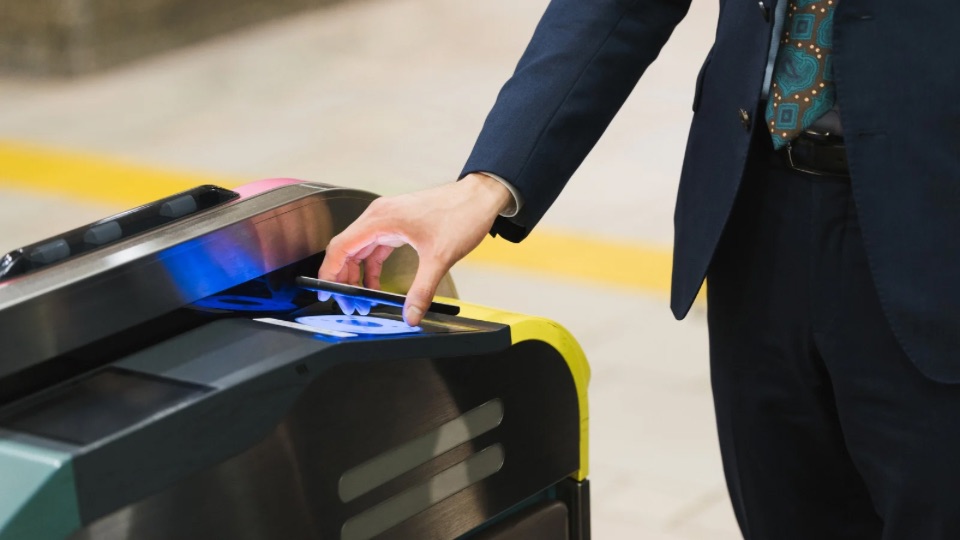
Traveling to Japan in 2026? One of the first things you should do before or right after landing is set up Suica on your iPhone. Suica is Japan’s most widely used contactless IC card—it works for trains, buses, subways, convenience stores, vending machines, and many shops. Physical Suica cards resumed sales in March 2025 after a chip shortage, but many travelers still prefer the iPhone version: no need to queue at the airport, no risk of losing a card, and you can add it before you fly. This guide walks you through everything you need to know to use Suica on your iPhone in 2026.
- 📱 What You Need to Know: Suica on iPhone in 2026
- 1. Which Option Should You Choose? Mobile Suica vs Welcome Suica Mobile
- 2. Device Requirements
- 3. How to Add Suica to Apple Wallet (Step-by-Step)
- 4. How to Use Suica at Train Gates and Stores
- 5. How to Recharge (Add Money) to Suica
- 6. Where Suica Works in Japan
- 7. First-Time Setup: Model Timeline
- 8. Troubleshooting: Common Issues
- 9. Tips for Travelers
- Summary: Suica on iPhone Makes Japan Travel Easier
- 📍 Related Articles
📱 What You Need to Know: Suica on iPhone in 2026
- ✅ Add Suica directly to Apple Wallet—or use the Welcome Suica Mobile app for tourists
- ✅ Tap your iPhone at train gates and stores (Express Mode works without unlocking)
- ✅ Recharge with Apple Pay—some foreign Visa cards work (iOS 17.2+, iPhone XR or later)
- ✅ Welcome Suica Mobile: 180-day validity, max balance ¥20,000, designed for short-term visitors
- ✅ Use for trains, buses, convenience stores, vending machines, and more
⚠️ Information as of March 2026
This article is based on information available as of March 2026. Suica availability, Apple Pay compatibility, and app features may change. Always check the official JR East and Apple Support pages for the latest details before your trip.
1. Which Option Should You Choose? Mobile Suica vs Welcome Suica Mobile
In 2026, there are two main ways to use Suica on your iPhone:
| Feature | Mobile Suica (Apple Wallet) | Welcome Suica Mobile (App) |
|---|---|---|
| Where to add | Apple Wallet app directly | Welcome Suica Mobile app → Apple Wallet |
| Device requirement | iPhone 8 or later | iPhone XR or later, iOS 17.2+ |
| Validity | No expiration | 180 days from issuance |
| Max balance / top-up | ¥20,000 max balance | ¥20,000 max balance; ¥10,000 per top-up |
| Deposit | None | None |
| Best for | Long-term use, repeat visitors | Short trips, first-time visitors |
Recommendation for most travelers: If you are visiting Japan for a week or two, Welcome Suica Mobile is simple and designed for tourists (launched March 2025). If you plan to return to Japan or want a card with no expiration, add Mobile Suica directly to Apple Wallet.
2. Device Requirements
Before you start, make sure your device meets these requirements:
- Mobile Suica (Wallet): iPhone 8 or later with the latest iOS. (iPhone 7/7 Plus purchased in Japan also supports Suica.)
- Welcome Suica Mobile: iPhone XR or later with iOS 17.2 or later.
- Foreign Visa card recharging: iPhone XS, XR, or later with iOS 17.2 or later (required since December 2023).
- Apple Watch: Apple Watch Series 3 or later (optional—you can add Suica to your watch for payments).
- Apple ID: Two-factor authentication must be enabled.
- Payment card: At least one eligible card already added to Apple Wallet (for recharging).
Note: Android users have limited options—Suica on Android typically requires a Japan-sold device with FeliCa. iPhone is currently the most reliable choice for international visitors.
3. How to Add Suica to Apple Wallet (Step-by-Step)
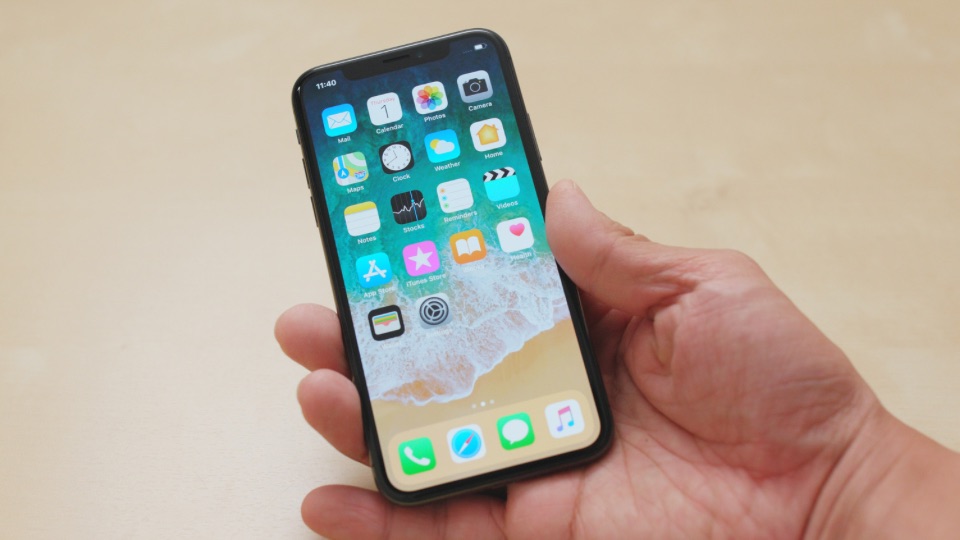
Method A: Add Mobile Suica Directly to Wallet
- Open the Wallet app on your iPhone.
- Tap the + (Add) button.
- Select Transit Card (or “Travel Card” in some regions).
- Choose Suica from the list (you may also see PASMO or ICOCA—Suica works nationwide).
- Tap Continue and select your initial amount (¥1,000, ¥2,000, ¥3,000, ¥5,000, or ¥10,000).
- Confirm with Face ID or Touch ID and complete the payment using your Apple Pay card.
- Your Suica will appear in Wallet. When you add your first transit card, Express Mode is automatically enabled—you can tap without unlocking.
You can also transfer an existing physical Suica card to your iPhone: choose “Transfer Existing Card” and follow the prompts. After transfer, the physical card will no longer work.
Method B: Use Welcome Suica Mobile App
- Download the Welcome Suica Mobile app from the App Store (search “Welcome Suica Mobile”).
- Open the app and follow the setup—you will set a simple secret keyword (no full registration required).
- The app will guide you to add the card to Apple Wallet.
- Add funds via Apple Pay. You can add up to ¥10,000 per transaction; maximum balance is ¥20,000.
- Your Welcome Suica is valid for 180 days. No refunds are available for unused balance.
4. How to Use Suica at Train Gates and Stores
Once Suica is in your Wallet, using it is straightforward:
- Express Mode: When Suica is your first transit card in Wallet, Express Mode is automatically turned on. You can tap your iPhone on the reader without unlocking the screen or opening the Wallet app. On iPhone XS and later, Suica can even work for up to about 5 hours after your battery dies (Power Reserve mode)—as long as Express Mode was enabled before the phone shut down.
- Where to tap: Hold the top of your iPhone (near the camera) against the reader. The NFC antenna is at the top—tapping with the center or bottom may fail.
- At train gates: Tap when entering and exiting. The fare is automatically deducted.
- At stores and vending machines: Look for the Suica, PASMO, or IC logo. Tap the same way. Many convenience stores (7-Eleven, FamilyMart, Lawson), vending machines, and some restaurants accept Suica.
Tip: Keep your iPhone in a thin case—very thick or metal cases can interfere with NFC.
5. How to Recharge (Add Money) to Suica
When your balance runs low, add funds from the Wallet app:
- Open Wallet and tap your Suica card.
- Tap Add Money or the balance amount.
- Select the amount (¥1,000, ¥2,000, ¥3,000, ¥5,000, or ¥10,000).
- Confirm with Face ID or Touch ID. The charge will be made via your default Apple Pay card.
You can also add cash at JR ticket machines: insert cash, select “Charge” (or the IC card charge option), and tap your iPhone on the reader. Available at JR East stations, including Narita and Haneda airports.
Foreign Credit Card Compatibility
Since December 2023, some foreign Visa cards work for Suica recharging on iPhone (iOS 17.2+, iPhone XS/XR or later). Success varies by card issuer—cards from Wells Fargo, Chase, Bank of America, Capital One, and Citibank have worked for some users. Mastercard and American Express support is less consistent.
Important for foreign cards:
- Location Services: Turn on Location Services for the Wallet app. Some non-Japan Visa cards will not recharge without it.
- Location-based: Some cards only work when you are physically in Japan. If recharge fails from home, try again after arrival.
- Maintenance window: Avoid recharging between 2:00 AM and 4:00 AM Japan Standard Time (JST)—system maintenance may cause failures.
- VPN: Remove or disable VPN before adding Suica or recharging; VPN can prevent the card from appearing or cause recharge failures.
- Apple Watch: Non-Japan Visa cards do not work for direct recharge on Apple Watch. Use the iPhone’s Watch app to add funds to Suica on your watch instead.
If your card is declined, use cash at a JR ticket machine—look for machines with an IC card reader and “charge” option.
6. Where Suica Works in Japan
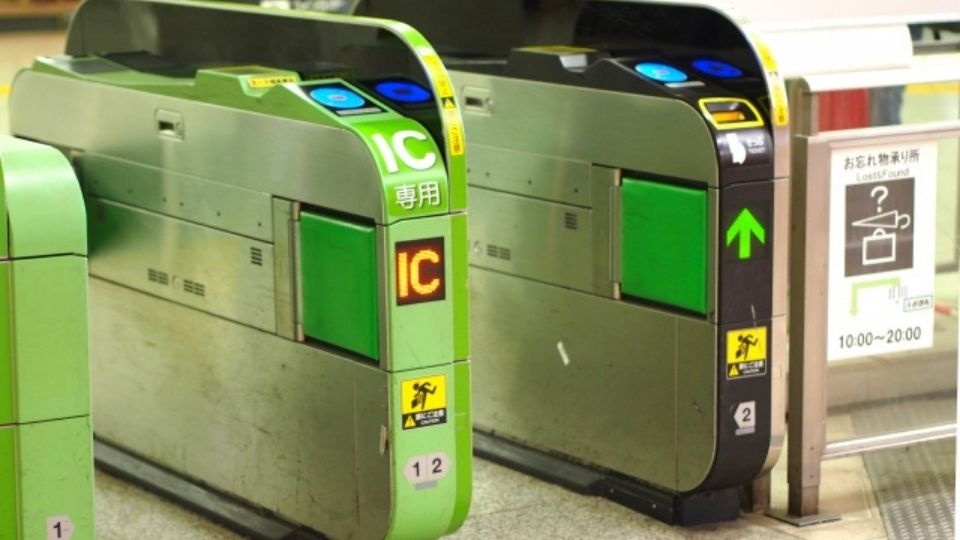
Suica is accepted across most of Japan:
- Trains & subways: JR lines (including Shinkansen for non-reserved seats in some cases), Tokyo Metro, Toei Subway, and many private railways nationwide
- Buses: Many local buses in Tokyo, Kyoto, and other cities
- Convenience stores: 7-Eleven, FamilyMart, Lawson, and others
- Vending machines: Most drink vending machines with IC readers
- Stores: Many shops displaying the Suica or IC logo
Suica is part of Japan’s nationwide IC card network. Cards like PASMO (Tokyo area) and ICOCA (Kansai) work interchangeably—if a reader accepts one, it usually accepts Suica too.
7. First-Time Setup: Model Timeline
| When | What to Do |
|---|---|
| Before departure | Add Suica to Apple Wallet. Add initial funds (¥3,000–5,000) if your card works. Disable VPN. |
| At airport (Narita/Haneda) | If recharge failed from home, use cash at JR ticket machine. Tap phone on reader to add funds. |
| First train ride | Hold the top of your iPhone against the gate reader. No need to unlock. Fare deducted automatically. |
| When balance low | Open Wallet → Suica → Add Money. Or use cash at any JR ticket machine with IC charge. |
8. Troubleshooting: Common Issues
| Problem | Solution |
|---|---|
| Suica not showing in Wallet / Can’t add | Remove or disable VPN. Ensure you have a valid payment card in Wallet and latest iOS. Restart your iPhone. |
| Recharge failed (foreign card) | Enable Location Services for Wallet. Try when in Japan (some cards only work there). Avoid 2–4 AM JST. Use cash at JR ticket machine as fallback. |
| Tap not working at gate | Hold the top of your iPhone (near camera) flat against the reader. Remove thick or metal cases. Check balance is sufficient. |
| Low battery / Phone off | Suica needs the device on. On iPhone XS and later, Power Reserve allows Suica for ~5 hours after battery dies (if Express Mode was on). Otherwise, carry a backup payment. |
| Apple Watch recharge failed | Non-Japan Visa cards don’t work for direct recharge on Watch. Use Wallet on your iPhone, or add cash at a ticket machine. |
9. Tips for Travelers
- Set up before you fly: Add Suica to your iPhone before arriving. You can fund it at the airport or from home if your card works.
- Start with ¥3,000–5,000: A typical day of train travel in Tokyo costs roughly ¥500–1,500. ¥3,000–5,000 is a good starting amount.
- Check balance regularly: Open Wallet and tap your Suica to see your balance. Low balance can cause failed taps.
- Use for small purchases: Suica is handy for quick buys at convenience stores—faster than cash or card.
- Apple Watch: You can add the same Suica to your Apple Watch for payments. Useful when your phone is in your bag.
Summary: Suica on iPhone Makes Japan Travel Easier
Using Suica on your iPhone in 2026 is one of the best ways to get around Japan. Add it to Apple Wallet before or right after you land, tap at train gates and stores, and recharge as needed. Whether you choose Mobile Suica or Welcome Suica Mobile, you will have a smooth, cashless experience across Japan’s trains, buses, and shops.
📍 Related Articles
- Japan Rail Pass vs Suica: Which Is Right for Your Trip?
- Tokyo Subway Guide: Lines, Transfers, and Tips for First-Time Visitors
- Best Travel Apps for Japan 2026
Afterword
Many travelers say that setting up Suica on their iPhone before landing in Japan was one of their best pre-trip decisions. No fumbling for change at ticket machines, no language barrier at the gate—just tap and go. Enjoy your trip to Japan!